Managed IT · Cybersecurity · Business Computer Services
AI-Powered Email Assistance for Microsoft 365
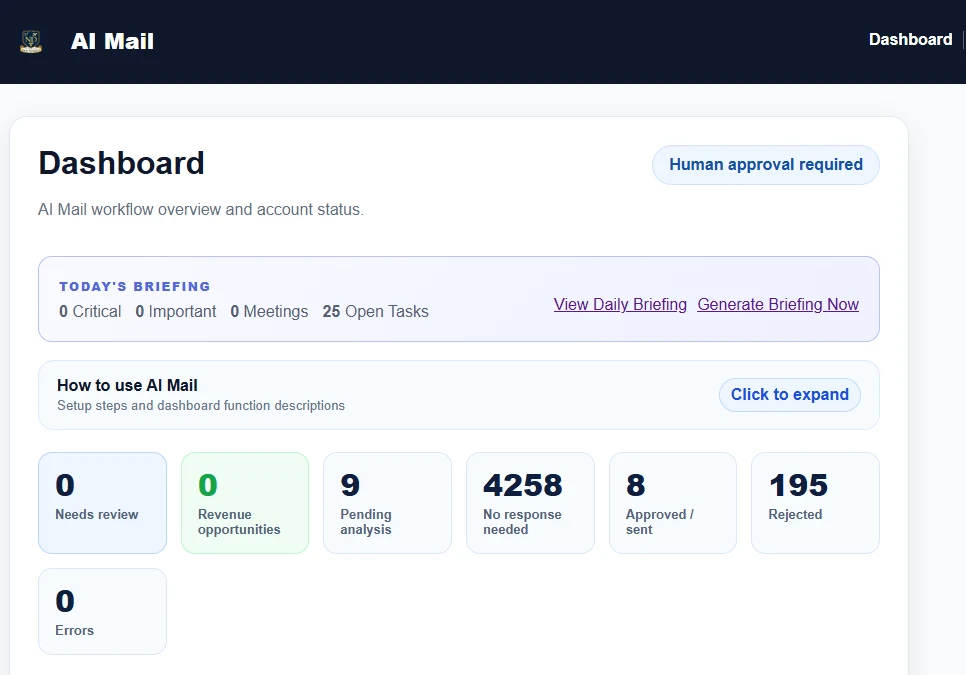
AI Mail helps review incoming messages, identify what may need your attention, prepare suggested responses, organize follow-ups, and give you a clearer start to the day with the Daily Briefing, while keeping you in control of what gets sent.
AI Mail
The hidden work inside your inbox
Business email creates work before you even start the work. Every message can introduce a small decision, and the mental load adds up.
Is this important?
Does this need a reply?
Did I already handle this?
Am I waiting for someone?
What needs a follow-up?
What deserves attention first?
AI Mail was designed to reduce this constant decision-making burden without assuming that every message can be handled the same way. It helps organize the work so you can apply your judgment where it matters.
An intelligent email assistant
AI Mail supports the parts of email that consume attention, while leaving business decisions and communication under your control.
AI Mail can analyze incoming email and help identify correspondence that may require your attention.
When a response appears appropriate, AI Mail can prepare a suggested reply instead of making you start from a blank screen.
The AI Profile can include company information, services, policies, tone, scheduling instructions, escalation guidance, signatures, and other business-specific direction.
Review, edit, approve, or reject AI-generated responses before they are sent. Artificial intelligence should reduce your workload without taking away your judgment.
AI Mail can help surface messages that may represent sales, revenue, customer, or business opportunities that deserve attention. Detection is assistive, not guaranteed.
New in AI Mail
Start the day with a clearer picture of what deserves your attention.
Start the day knowing what deserves your attention.
Less hunting. Less remembering. More clarity when your workday begins.
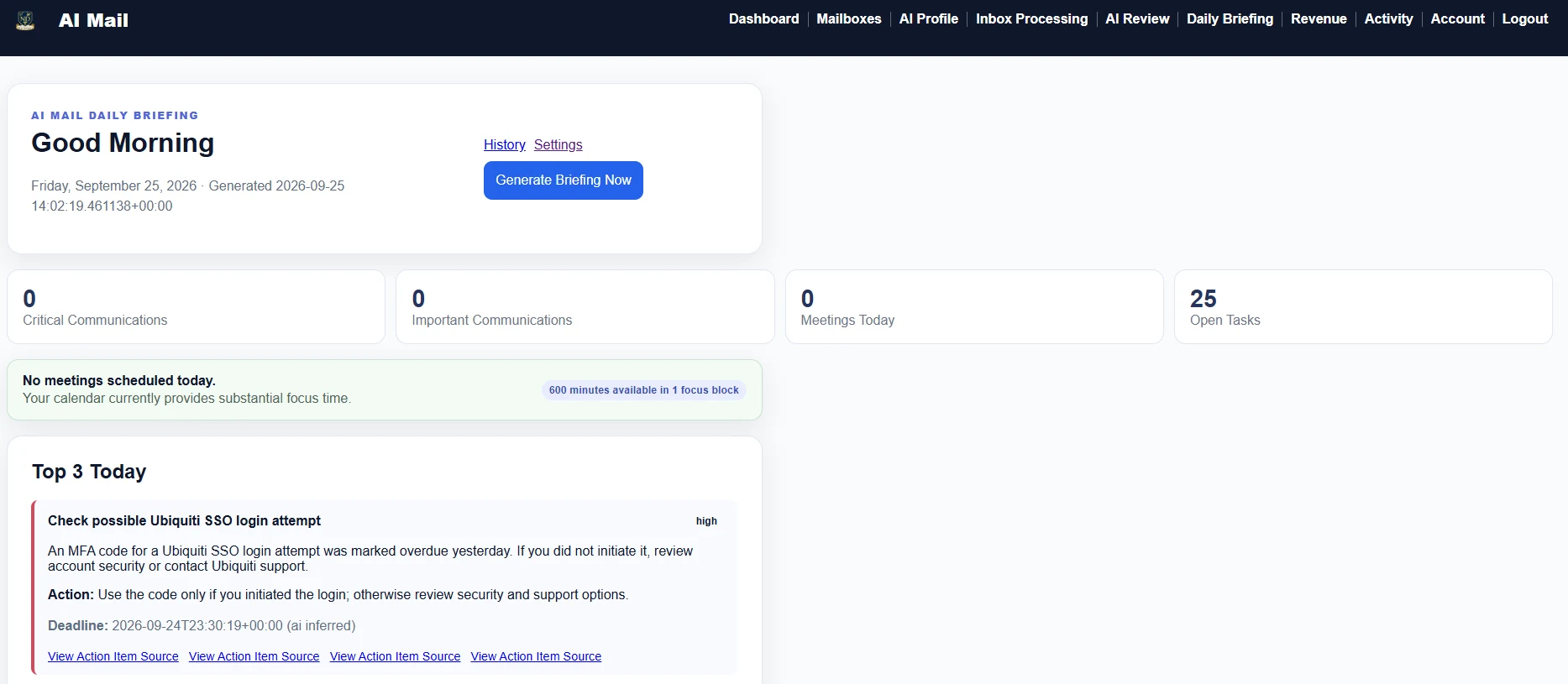
Daily Briefing
What needs my attention?What do I need to do?What am I waiting for?What is happening on my calendar?
Identify conversations that appear particularly important or time-sensitive.
Surface tasks and follow-up items discovered through your email workflow.
Help keep track of situations where you have already acted and are waiting for somebody else.
Bring Microsoft 365 calendar information into the briefing so today’s meetings can be considered beside inbox priorities.
Supported action items can remain available until appropriately handled, including completing, dismissing, or snoozing them.
AI Mail combines useful email information, persistent action items, and Microsoft 365 calendar context into one daily overview. It is designed to help surface what matters, not to promise perfect extraction of every task or deadline.
A clear review workflow
Get useful assistance without handing over control of your business communication.
Connect the Microsoft 365 mailbox AI Mail will assist with.
Tell AI Mail about your business, communication style, services, policies, preferences, and important instructions.
AI Mail analyzes incoming messages and determines what may require attention.
When appropriate, AI Mail prepares suggested responses. You review them before sending.
Important email, action items, follow-ups, and Microsoft 365 calendar context can be organized into a useful daily overview.
Human approval is part of the product
The concern is reasonable: What if AI sends something I do not want it to send?
AI Mail is designed around human approval. You maintain control over business communication.
Suggested responses remain suggestions until you decide what to do with them.
A real-world evaluation
You shouldn’t have to decide whether AI Mail works for you before you’ve actually used it.
Use AI Mail with your real day-to-day inbox and decide whether the workflow fits the way you work.
Permissions, licensing, security settings, and account configuration can vary. The trial gives us time to verify that your environment connects and operates correctly.
If needed, The Computer Specialists can provide reasonable onboarding and setup assistance so a configuration issue does not prevent a fair evaluation.
14 days freeThen $99/month unless canceled
Designed for communication-heavy work
People balancing customer communication, vendors, staff, scheduling, and business operations.
People responsible for keeping conversations and responsibilities moving.
Professionals who spend significant time communicating with customers and clients.
Organizations where email is a major part of the client relationship.
Businesses that need technology to create leverage without removing human oversight.
Independent professionals whose email workload has become a meaningful part of the workday.
Software plus knowledgeable technical support
AI Mail is offered and supported by The Computer Specialists. That means the experience is more than anonymous software. Customers can receive reasonable help with onboarding and Microsoft 365 compatibility when needed.
You get a modern AI email assistant with access to an established IT company that understands business technology.
Questions before you begin
No. AI Mail is built around human review. It can prepare suggested responses, but you review and approve messages before they are sent.
The Daily Briefing organizes useful information from your AI Mail workflow, including important email, action items, follow-ups, and Microsoft 365 calendar context, into a daily overview designed to make it easier to understand what deserves attention.

AI Mail is designed to work with Microsoft 365 and Outlook business email. The 14-day trial provides time to verify compatibility with your particular Microsoft 365 environment.
AI Mail should be evaluated using real email. The trial provides time to decide whether you like the workflow, confirm Microsoft 365 compatibility, and obtain reasonable setup assistance if necessary.
Yes. AI Mail is designed around a review workflow where suggested responses can be reviewed and edited before approval.
AI Mail includes an AI Profile where you can provide business-specific information, communication preferences, policies, tone, scheduling instructions, and other guidance.
AI Mail includes a 14-day trial, then costs $99 per month unless canceled.
Create an AI Mail account using the trial registration page, then begin the Microsoft 365 onboarding process.
14-day trial, then $99/month unless canceled
Experience AI Mail with your real Microsoft 365 inbox and discover whether it can make your day easier.
AI prepares the work. You stay in control.